QRocodile QR Code Nodes
Design QR Codes People Want to Scan With KNIME
Turn any KNIME workflow into a QR code generator. QRocodile QR Code Nodes wrap the QRocodile QR API in ready-to-use KNIME nodes, so you can render on-brand, styled QR codes without leaving your workflow or touching a single line of HTTP code. The QRocodile Designer comes with them: design your QR code visually, right in the node dialog.
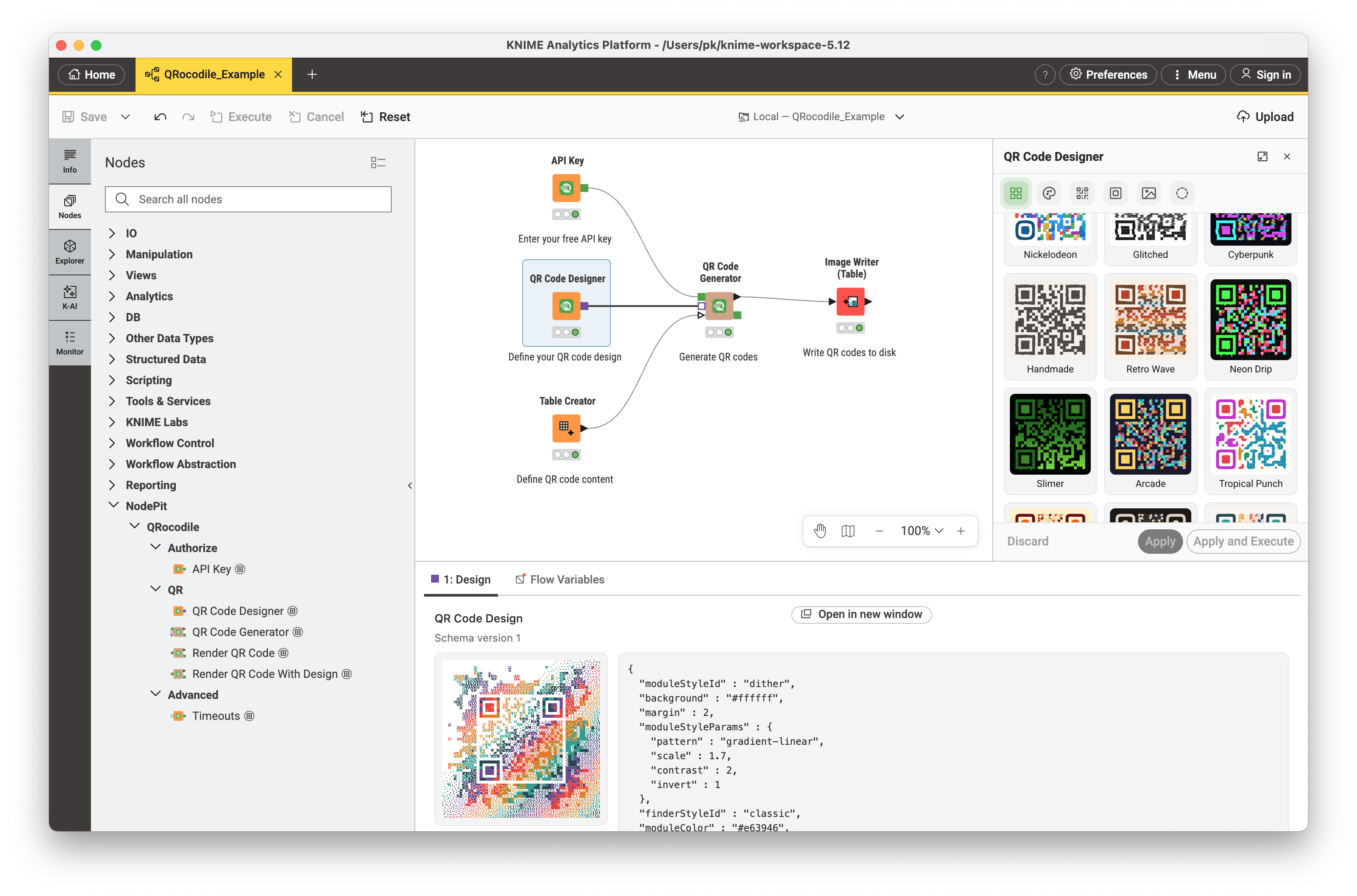
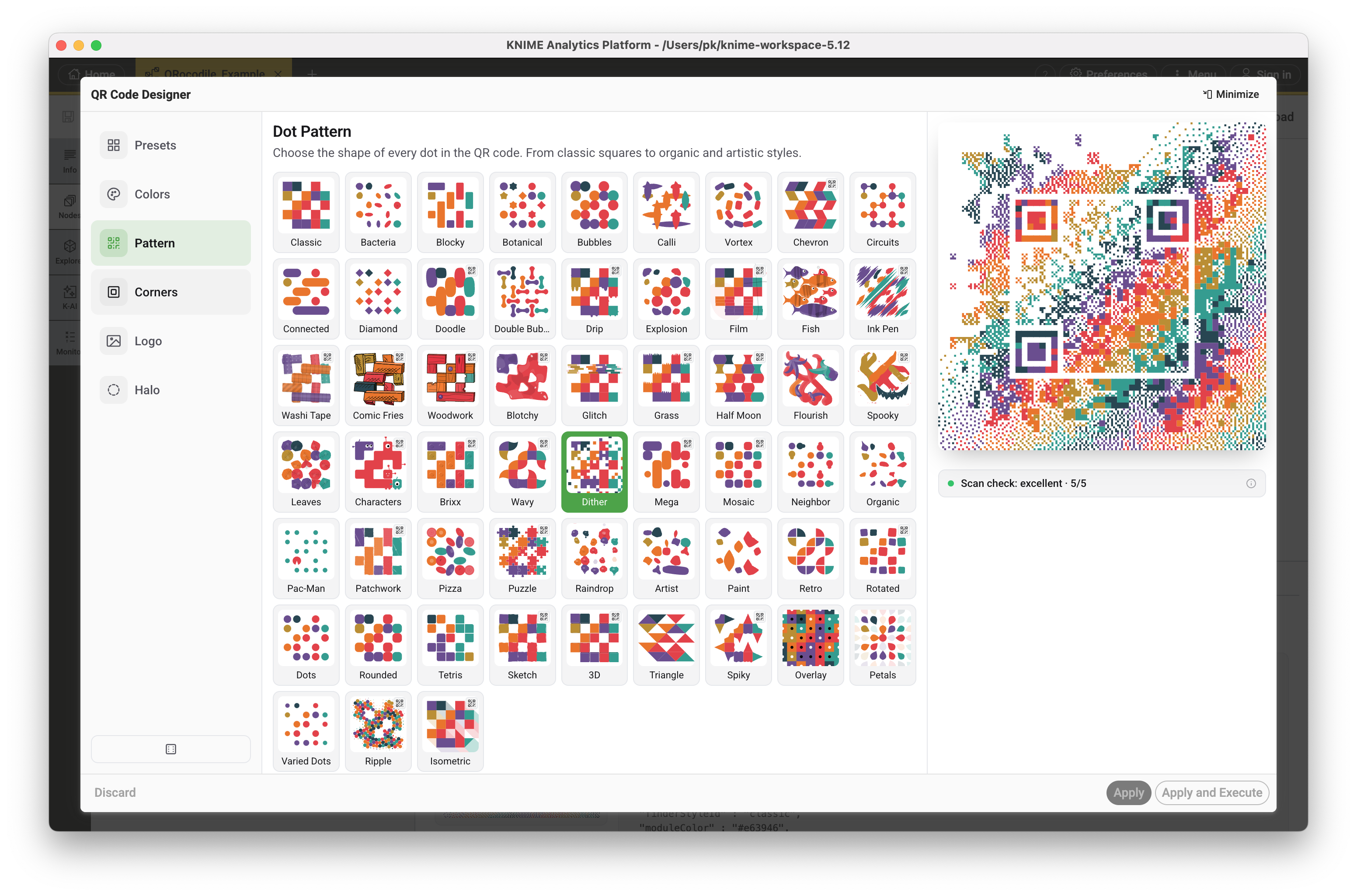
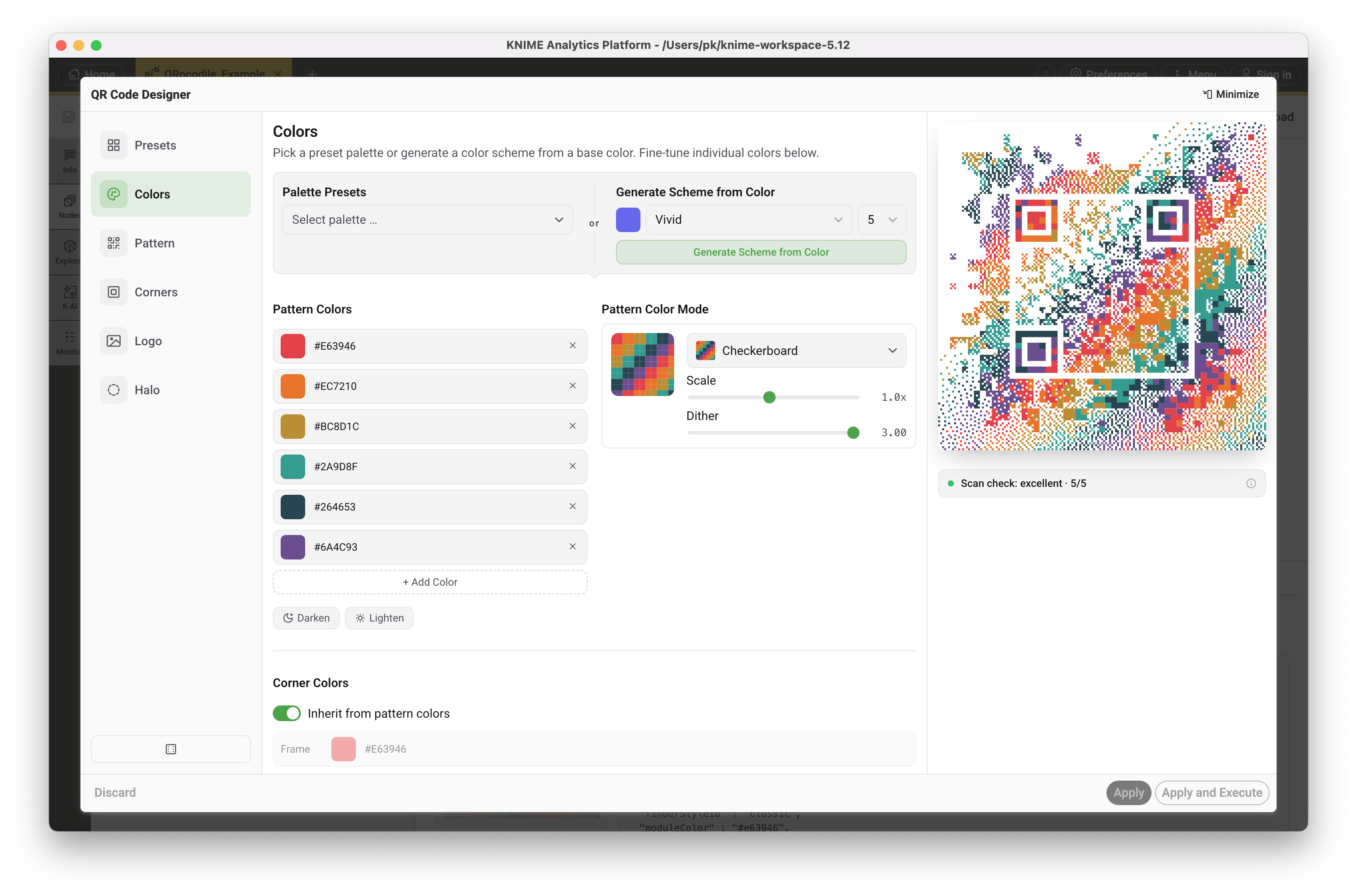
Whether you need a quick, no-frills QR code for a single URL or a fully styled design with custom palettes, gradients, module shapes, and a logo, QRocodile QR Code Nodes gives you a no-code path from content to image, as SVG or PNG — and a visual designer for everything in between.
Requires a free QRocodile API key. Sign up with just your email address — no credit card needed.
🚀 Features
- 🖌️ QR Code Designer: The full QRocodile designer, embedded in the node dialog — presets, module and corner shapes, palettes and gradients, your own logo, and the halo decoration around the QR code. Live preview while you work, plus a continuous scan check that warns before a design stops being readable. No API key needed to design
- 🏭 QR Code Generator: Apply one design to a single value or to every row of a table — a thousand QR codes, one look. A row that cannot be rendered yields a missing cell with the reason, so one failure never loses the batch
- ⚡ Render QR Code: Quickly generate a QR code from a content string, with an optional built-in preset — for the common case where nothing fancy is needed
- 🎨 Render QR Code With Design: Full control node — accepts a complete design configuration for palettes, gradients, module and finder styles, corner and eye styles, logos (built-in or custom), and the halo background decoration
- 🖼️ SVG or PNG output: Choose the output format per request, ready to drop into a table, write to disk, or forward to another workflow
- 🔑 API Key authentication: Dedicated authenticator node — configure your key once and reuse it across every request
- 🔗 Configuration passthrough: Chain requests without cluttering your workflow with extra connections
🎯 Why QRocodile QR Code Nodes?
- ✅ No-code QR generation: build and style QR codes visually in KNIME, with no scripting and no external libraries
- ✅ Design once, apply everywhere: draw a design in the dialog, store it in the workflow, and apply it to hundreds or thousands of QR codes — reopen it any time and carry on where you left off
- ✅ See it before you ship it: the designer renders live and checks continuously that the QR code still scans, so a design problem surfaces at your desk rather than on the packaging
- ✅ One workflow, full pipeline: combine QR rendering with KNIME's data handling, looping, and file I/O to go from a spreadsheet of links straight to a folder of finished images
- ✅ Free: a single API key is all you need, no billing setup or credit card required
🌟 Example Use Cases
- Generate a batch of branded QR codes for product packaging or SKUs directly from a KNIME table
- Turn a list of event, coupon, or menu links into print-ready QR codes as part of a scheduled workflow
- Build a KNIME pipeline that creates a styled QR code for every new record in a database or CRM export
- Design a branded QR code once in the dialog, then reuse it across every campaign workflow
- Prototype QR code designs by looping over different presets and palettes and comparing the results
- Feed generated QR code images into downstream KNIME nodes for reporting, image processing, or export
QRocodile QR Code Nodes is free to use. All you need is an API key, requested with just your email address at QRocodile.
Questions, ideas, or feedback? We'd love to hear from you: mail@nodepit.com
Contact
VendorNodePit GbR
AddressBienertstraße 33,01187 Dresden,Germany
Emailmail@nodepit.com
Websitehttps://nodepit.com
Content
 QRocodile
Generate styled QR codes for any content, without a browser — the same designs the QR Designer produces, drawn by the same render engine.
Simple: GET /v1/qr?content=...&preset=... returns the image directly.
Full control: POST /v1/qr with a { content, design } body for palettes, gradients, logos and halos. Design it visually in the QR Designer, open the encoded-content bar with the chevron at the bottom right of the preview, choose Copy JSON, and send that object as design — the render matches what you were looking at.
Keys. Every /v1/qr request needs one: Authorization: Bearer qk_live_…. They are free — get one on the qrocodile.io/en/qr-code-api page, confirm the 6-digit code from the mail, and it is shown exactly once. Renders are capped at 60 per minute per key; ask us if you need more.
Output is SVG or PNG, chosen by format alone — the Accept header is not consulted.
Failures all answer { error: { code, message } }, an unknown path included. code comes from a fixed set and is the field to branch on; message is for a human and may be reworded.
Not callable from a browser. CORS withholds Authorization from browser origins on purpose, so an API key cannot end up in frontend code. Call the render endpoints from your own backend.
The preset, module-style and finder-style IDs, and the parameters each style accepts, are listed on the API page.
 Authorize
Nodes for different authorization methods
QR
Render a QR code from a content string + a design config. GET when the whole request fits in a URL, POST for a full design. Requires an API key.
Advanced
Nodes for advanced configuration
Nodes
Further Links
- QRocodile Websiteqrocodile.io/
- API Specificationapi.qrocodile.io/docs
- Community Announcementcommunity.knime.com/c/share-learn/snap-qrocodile-qr-code-nodes-for-knime
Installation
To use this product in KNIME, install the extension QRocodile QR Code Nodes from the below update site:
A zipped version of the software site can be downloaded here.