NodePit Runner is the easiest way to schedule and run Docker containers, shell scripts, and KNIME workflows automatically. Set up your environment, define a schedule, and NodePit Runner takes care of the rest. Follow your runs in real time and access results and artefacts with a single click.
Whether you work alone or as part of a team, NodePit Runner gives you the scheduling and monitoring of an enterprise setup without the complexity and cost to match. Projects let you share environments, schedules, and results with colleagues, with fine-grained permissions to keep things organised. Host it within your own network or data centre, and setup takes minutes either way.
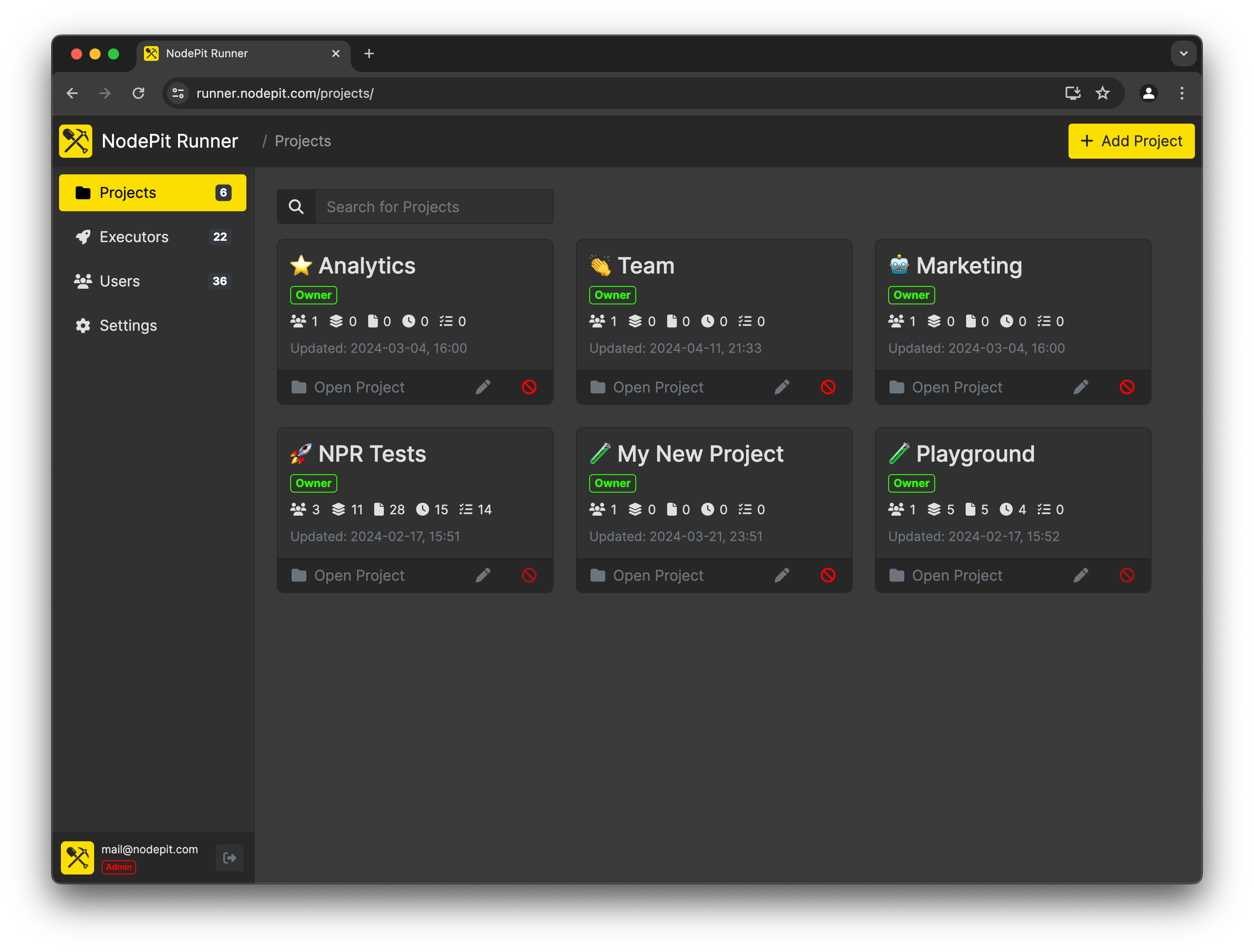
Projects. NodePit Runner is organised around an unlimited number of projects. Projects can be used to group environments, files, schedules and runs by topic or purpose, and can be easily shared with other users using fine-grained permissions management.
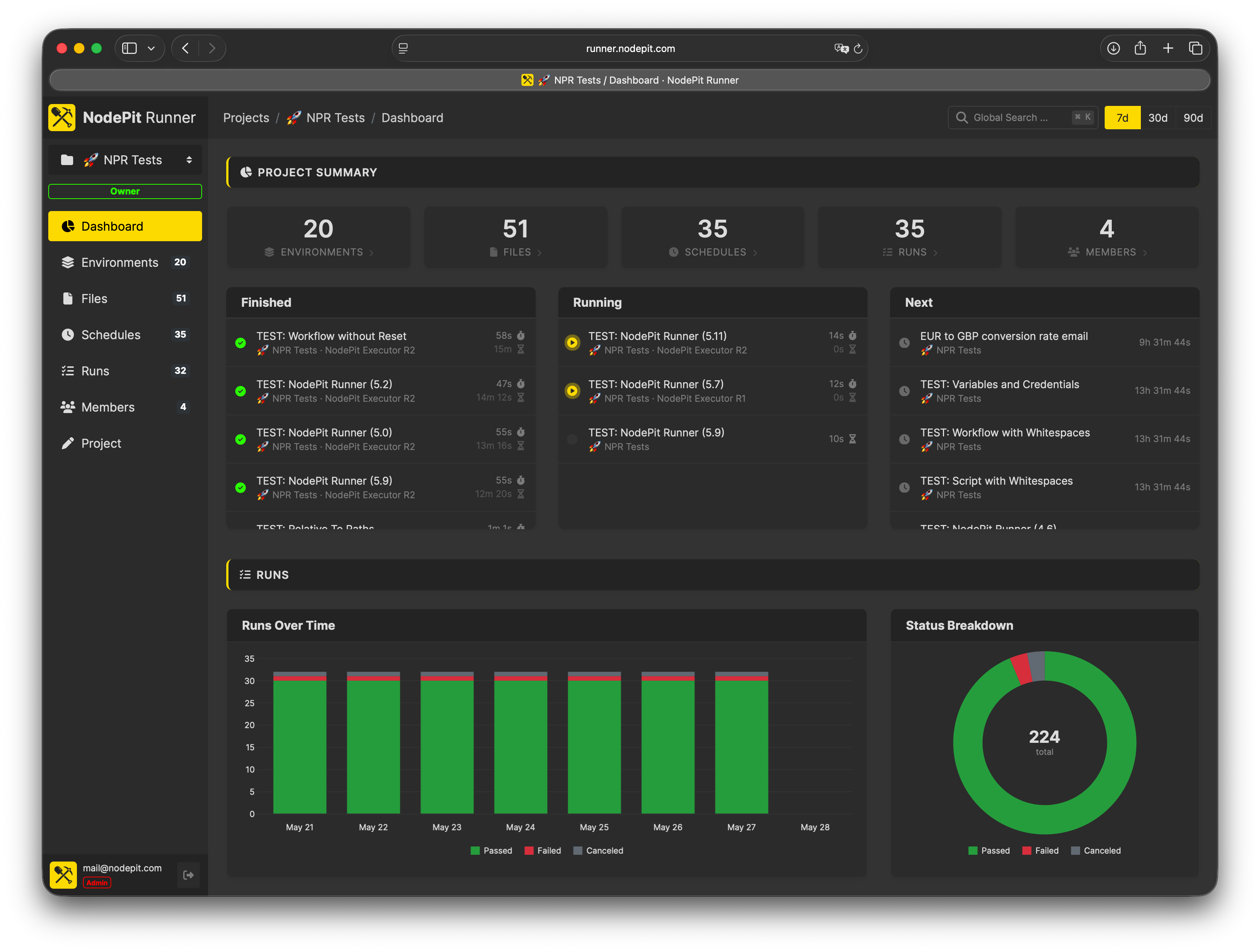
Dashboard. Get a quick overview of your project at a glance. The project dashboard shows recent runs, their outcomes, and upcoming schedules, so you always know what's happening without digging through lists.
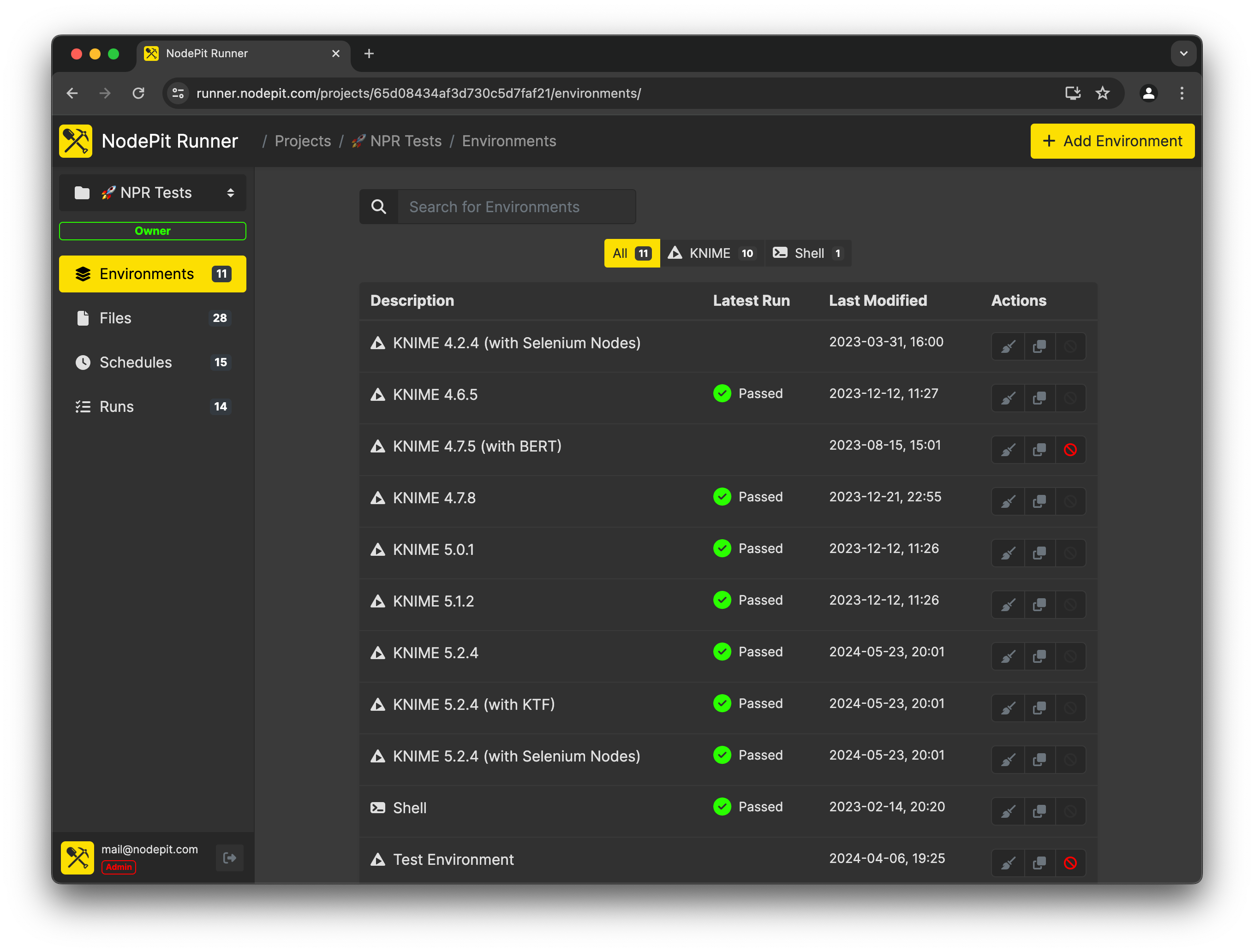
Environments. Environments describe the fixed setup in which your workflow, script, or container will be executed. NodePit Runner allows you to define an unlimited number of environments that can be quickly modified and easily assigned to your schedules.
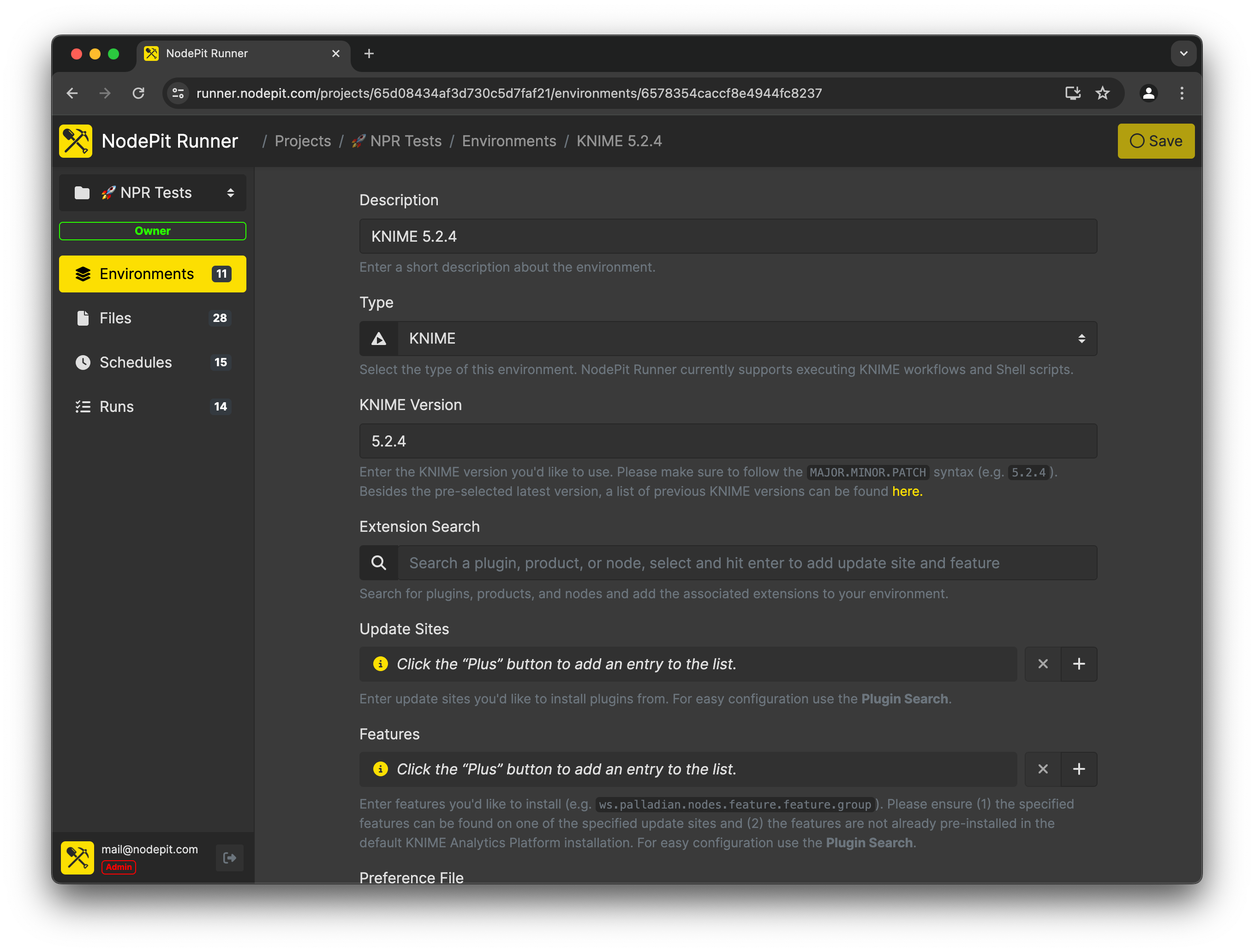
Environment Details. For each environment, various parameters can be set according to your needs and requirements. Pin it to a fixed KNIME version, specify extensions that need to be preinstalled, define preference files and entries, or customise JVM arguments. No server administrator needed!
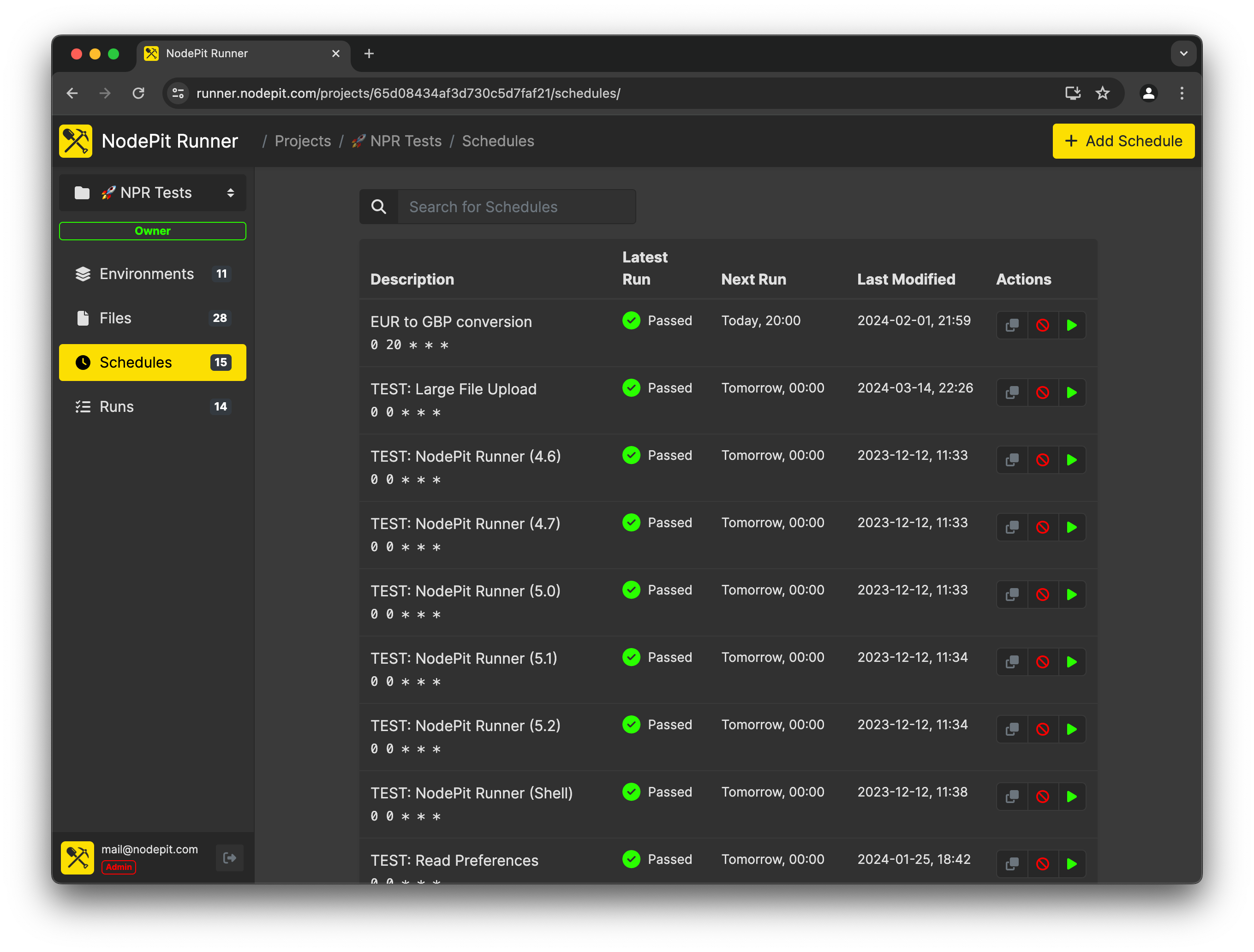
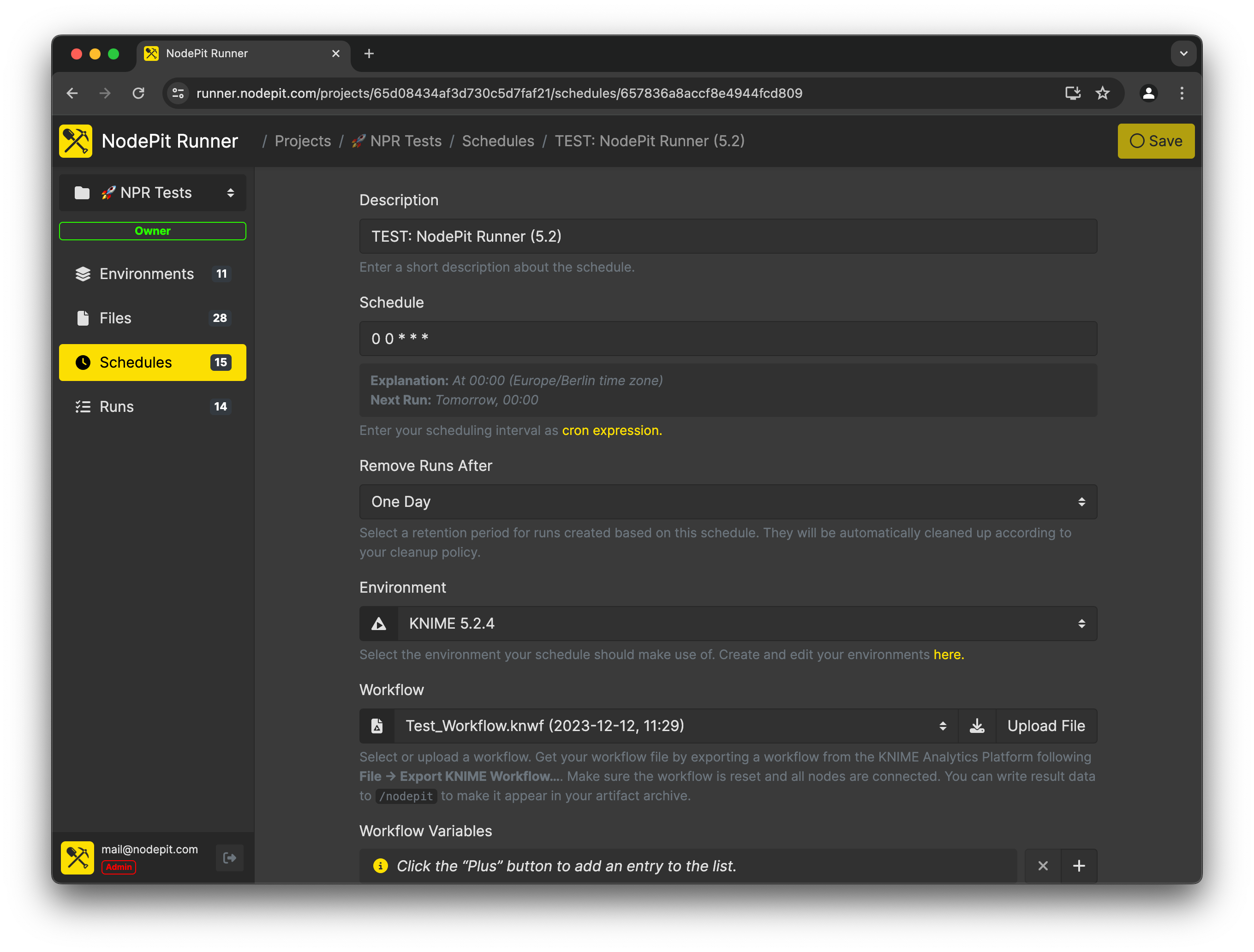
Schedules. Schedules describe "how" your workflow, script, or container is executed. NodePit Runner allows you to define an unlimited number of schedules that can be easily modified and paused at any time.
Schedule Details. Each schedule consists of a workflow, script, or container and a plan that specifies when and how often it should run. If required, you can also specify additional settings such as variables or credentials.
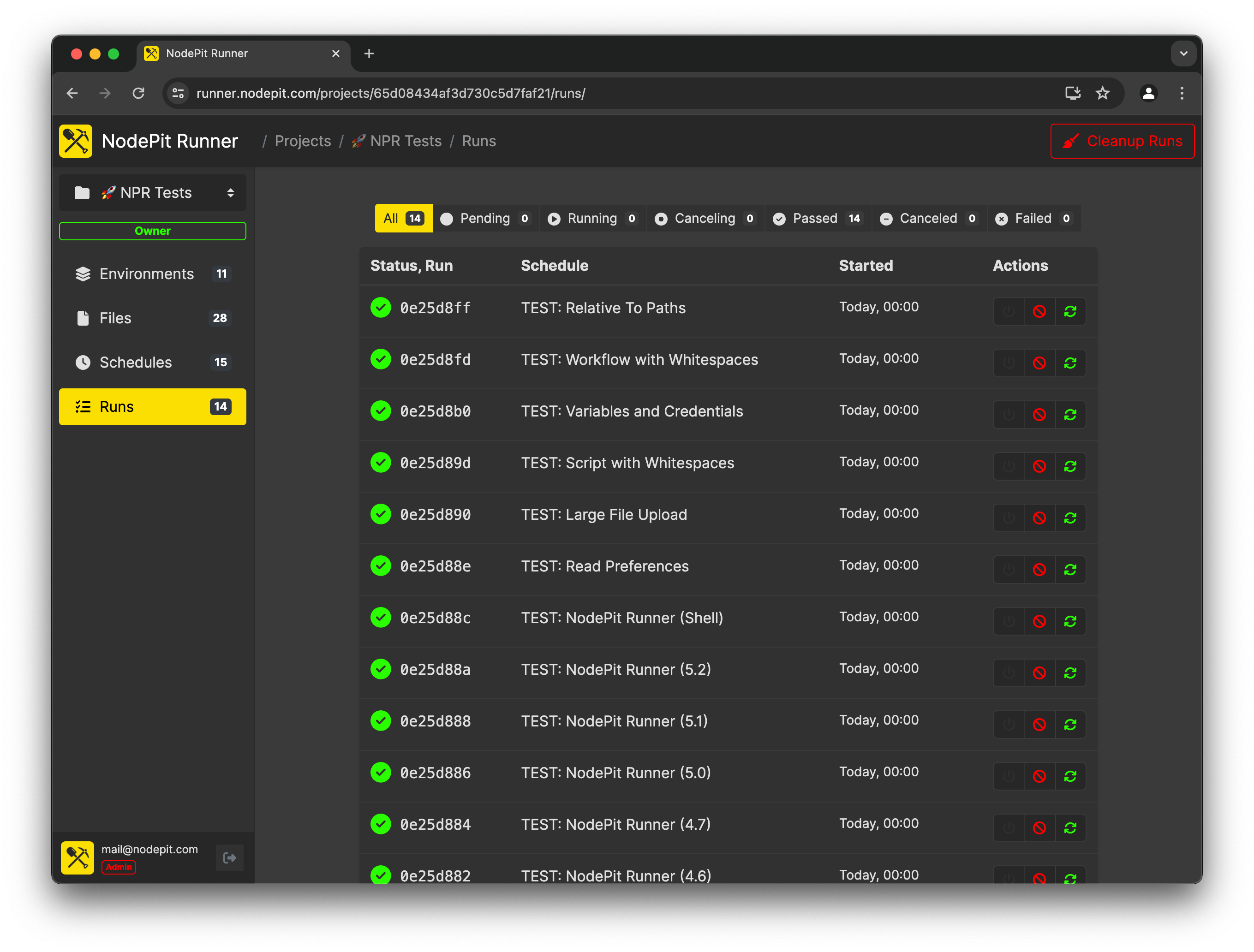
Runs. Runs are concrete executions of schedules within an environment. Have your runs triggered automatically by your schedule, run a schedule on demand whenever you need results, or trigger them using the NodePit Runner API.
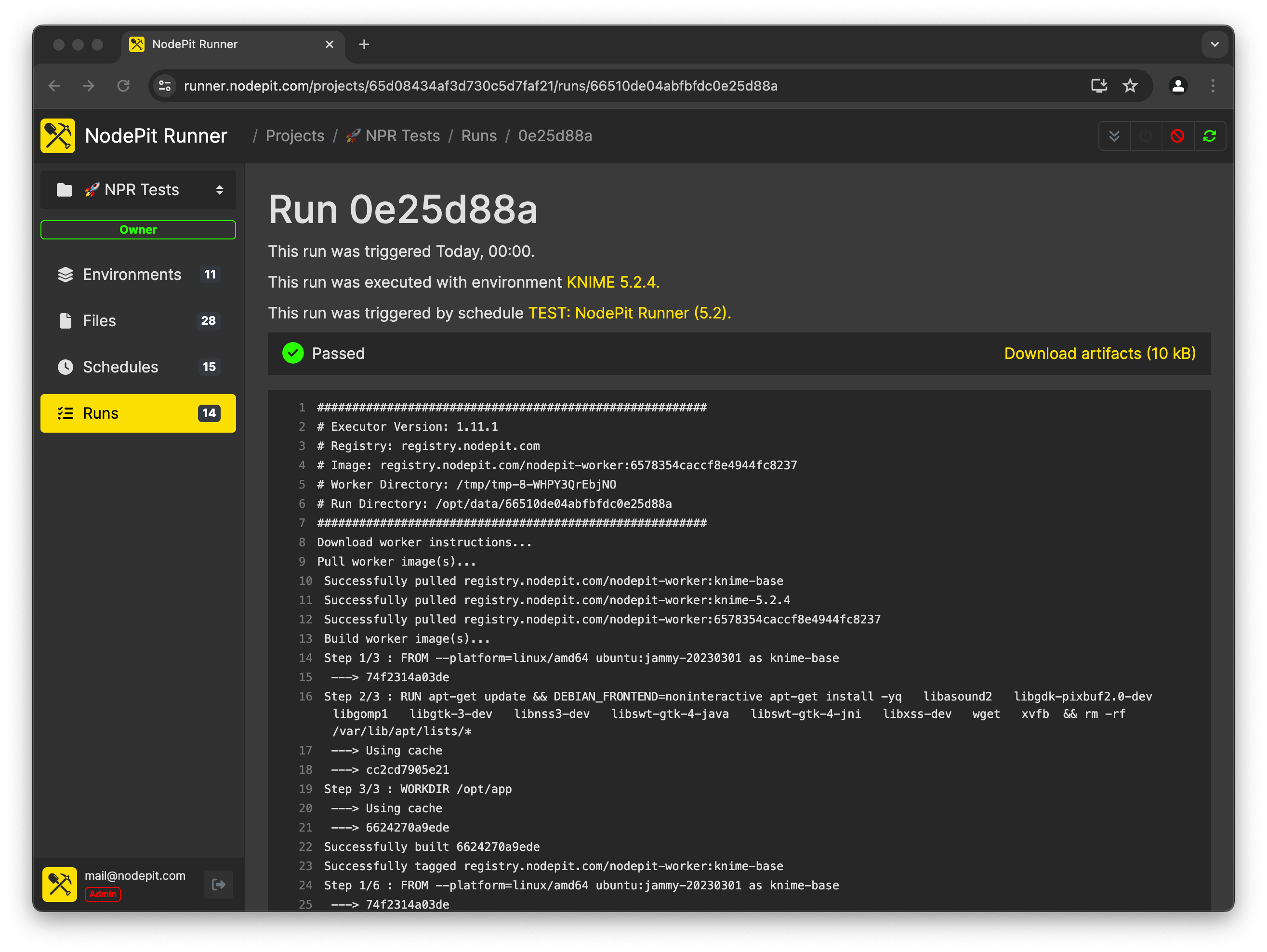
Monitoring. Follow your runs in real time, check their status, and download the executed workflow and any output you may have written during execution. Search the log for exactly what you need, with support for matching case, whole words, and regular expressions.
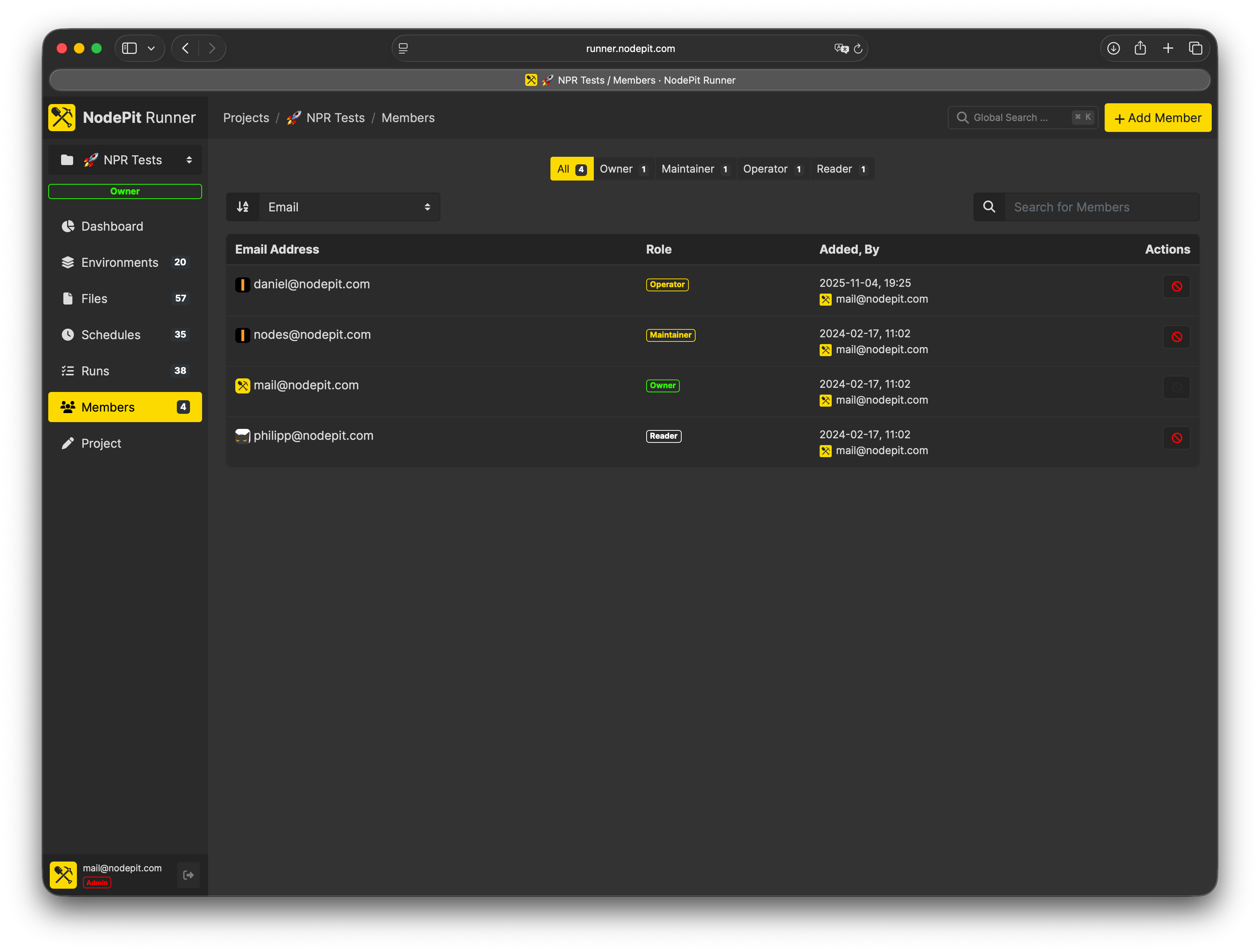
Members. Invite colleagues to a project and assign each person the right role. Members see exactly what they need and nothing more, so your team can collaborate without stepping on each other's toes.
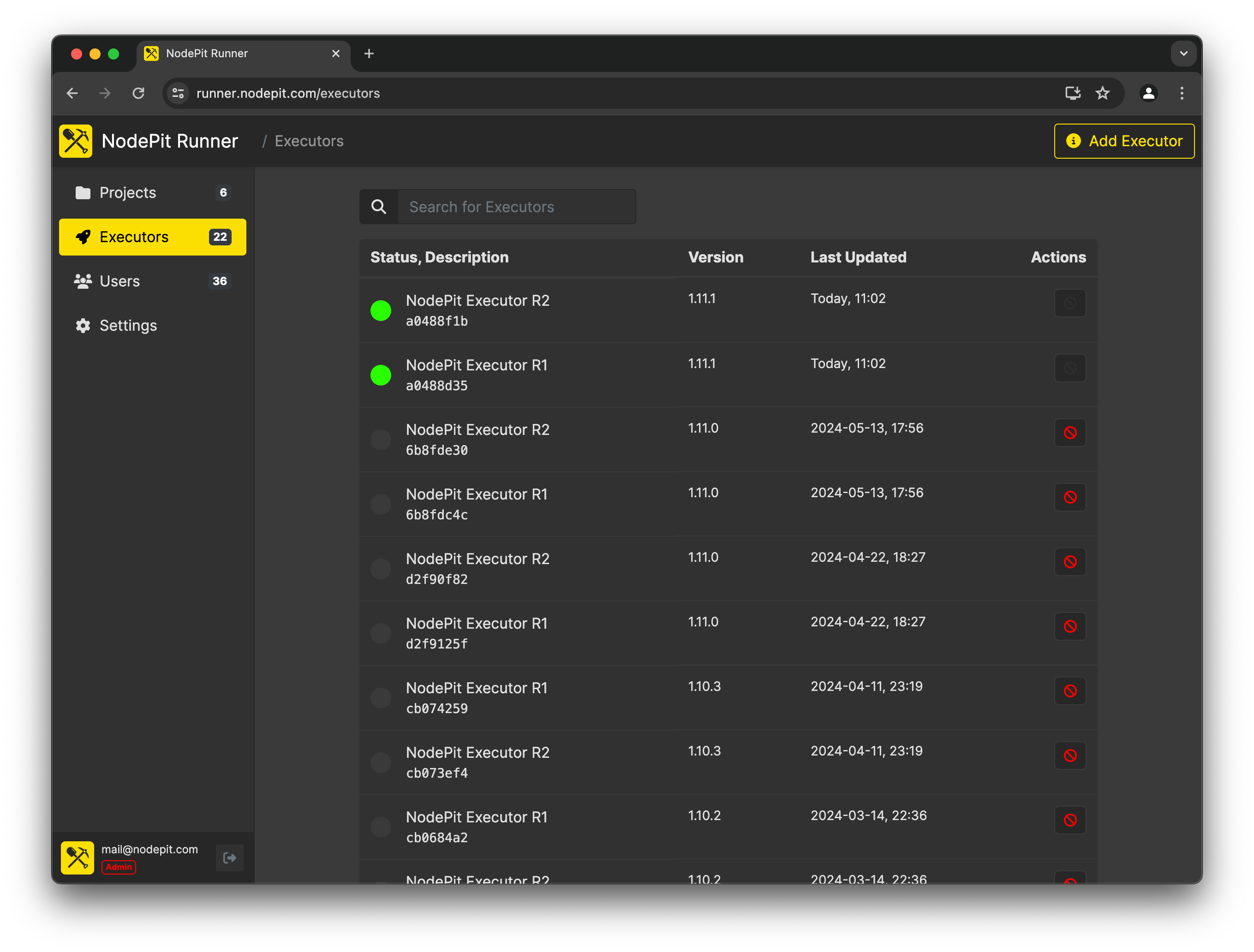
Executors. NodePit Runner coordinates runs and delegates their execution to executors. Executors are physical or virtual machines that execute workflows, scripts, or containers based on defined schedules within assigned environments.
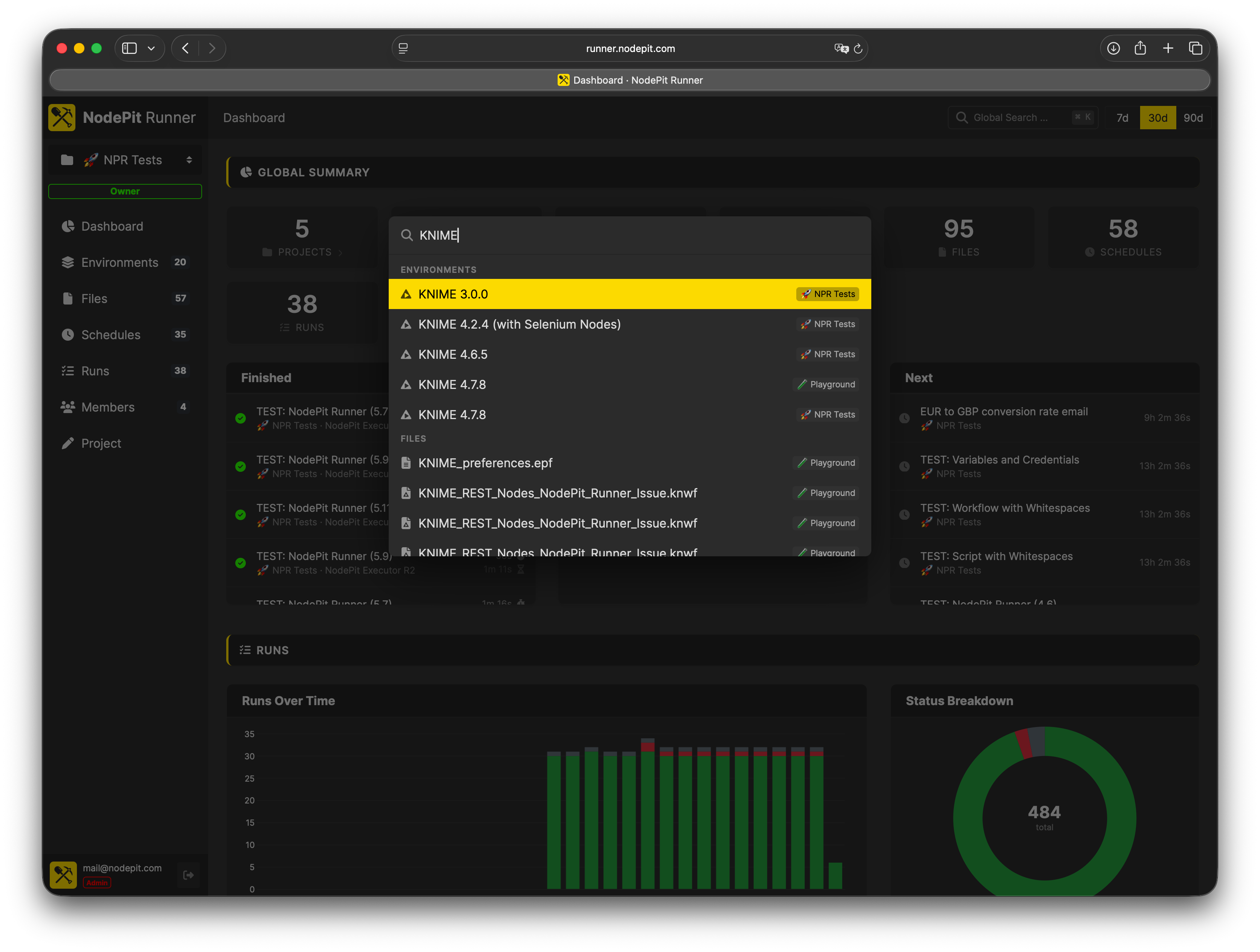
Command Palette. Navigate NodePit Runner with ease using the command palette. Quickly search for projects, schedules, runs, and more without ever leaving your keyboard.
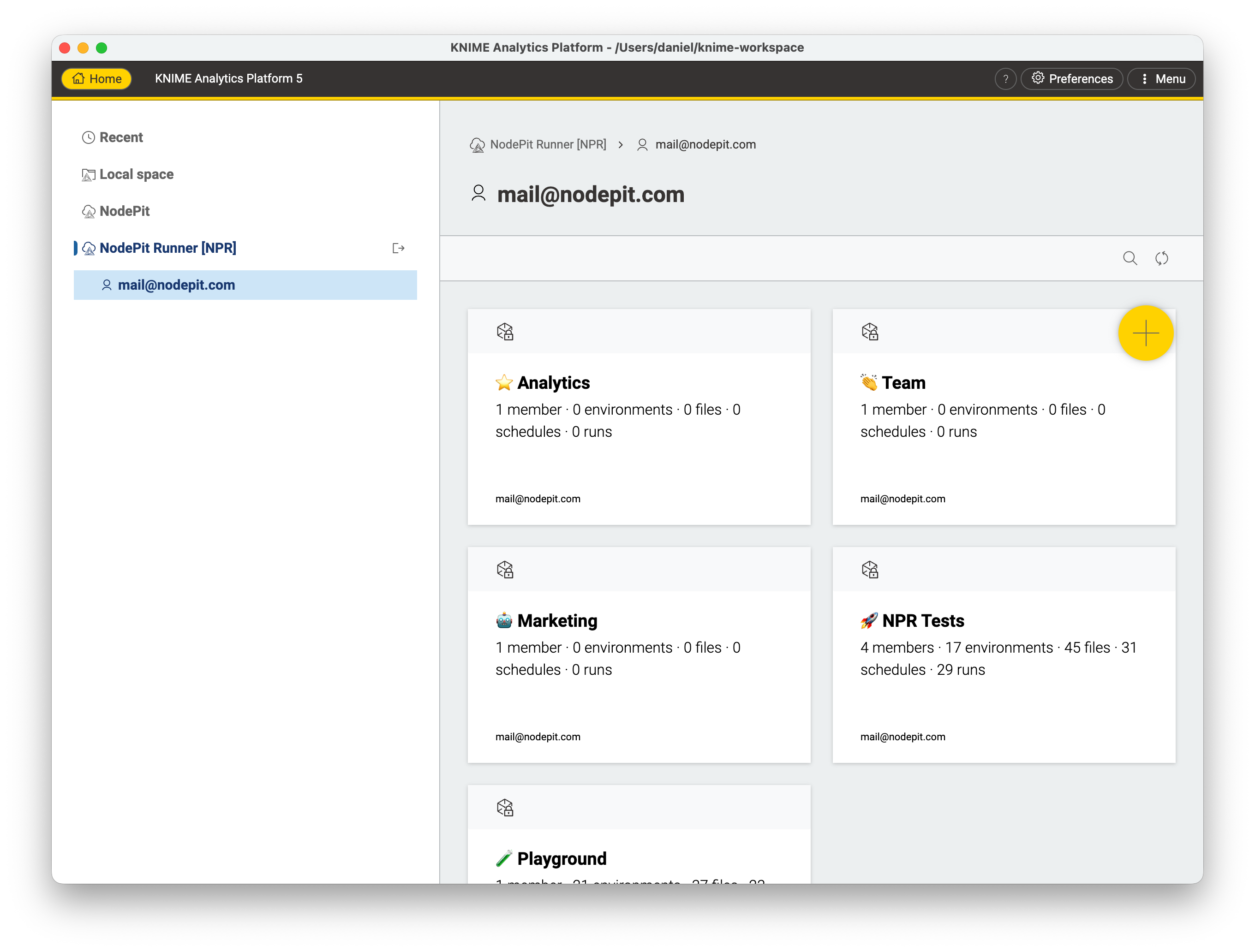
KNIME Integration. Connect your KNIME Analytics Platform to NodePit Runner using the NodePit Runner for KNIME. Create and update your workflows from within KNIME.
Need more detail? The NodePit Runner documentation covers installation, configuration, and guides for common setups.
NodePit Runner is built for small and medium-sized teams that want to automate their work — KNIME workflows, shell scripts, or anything you can package into a Docker container — with the reliability and monitoring of an enterprise setup, without the enterprise price tag or a dedicated IT team to run it.
Not ready to set up your own instance yet? Send us an email and we'll give you access to our demo instance so you can explore NodePit Runner before committing to anything.
Interested in a fully managed cloud version? Let us know and help us understand what you need.
Features
Schedule Anything Without Pain
Stop running workflows, scripts, and containers manually. Create a schedule once and NodePit Runner handles the rest: triggering execution at the right time, tracking results, and keeping output and artefacts available for you to review whenever you need them. If a schedule fires again while still running, you decide what happens — allow it, skip it, queue it, or cancel and replace the run in progress.
Talk to Your Runner
Point Claude, ChatGPT, or any MCP-compatible AI assistant at your Runner’s built-in MCP server and manage it in plain language: create schedules, spin up environments, and check on runs, all with a single prompt. No per-request billing, no separate integration to build.
Flexible KNIME Environments
Run any KNIME version, from legacy 3.x to the latest nightly, without touching a server. Pin extensions, define JVM arguments, and pre-install Python libraries. Each schedule gets its own environment, and changing one never affects the others.
Bring Your Own Docker Image
Not a KNIME shop, or need something more custom? Run any existing Docker image, or build your own from an uploaded Dockerfile with build arguments to parameterize it. Pull from multiple private registries per environment, and override the container's command and environment variables per schedule.
Organise Your Work
Group environments, files, schedules, and runs into projects by team or topic. Share a project with colleagues and everyone works from the same setup, with fine-grained permissions you control.
Easy Configuration
Pass variables, credentials, and (for KNIME environments) preference files into each run at execution time. Build your workflow, script, or image once and drive it from the outside. No need to edit it between runs.
KNIME Explorer Integration
Upload workflows from KNIME Analytics Platform directly to NodePit Runner using the NodePit Runner for KNIME plugin. Your local workflow is always one click away from being scheduled. No manual file exports needed.
APIs, APIs, APIs
Prefer to work with code? Use the Runner’s REST API to create, update, and trigger runs, secured with a personal access token or an OAuth-connected app you authorize from Integrations. Or use NodePit Runner’s KNIME Nodes to access and control NodePit Runner from within your KNIME workflows.
Multi-User Support and Access Management
Each user gets their own workspace, and projects let you share environments, files, and schedules with colleagues. Fine-grained permissions mean you control exactly what each person can see and do.
All Features and Unlimited Resources
One fixed price covers everything: all features, unlimited users, unlimited schedules, unlimited runs. No tiers, no quotas, no surprises. See pricing.
Self-Hosted
Run NodePit Runner on your own infrastructure: on-premises, in your data centre, or in your own cloud environment — on x64 or ARM, down to a Raspberry Pi. The setup is straightforward and takes minutes. No dedicated server administrator necessary.
Powered and Maintained by NodePit
For more than eight years we’ve driven innovation in the KNIME universe with free and commercial high-quality nodes and workflows for the community and partners — expertise we now bring to running any workload the “NodePit Way”.